Design Your Cake with Our AI Cake Generator
Turn your cake ideas into visual design references. Explore tiers, colors, frosting, and decorations before talking to your baker.
Generate Your First CakeStart with 5 free signup credits. No credit card required.
See pricing and how credits work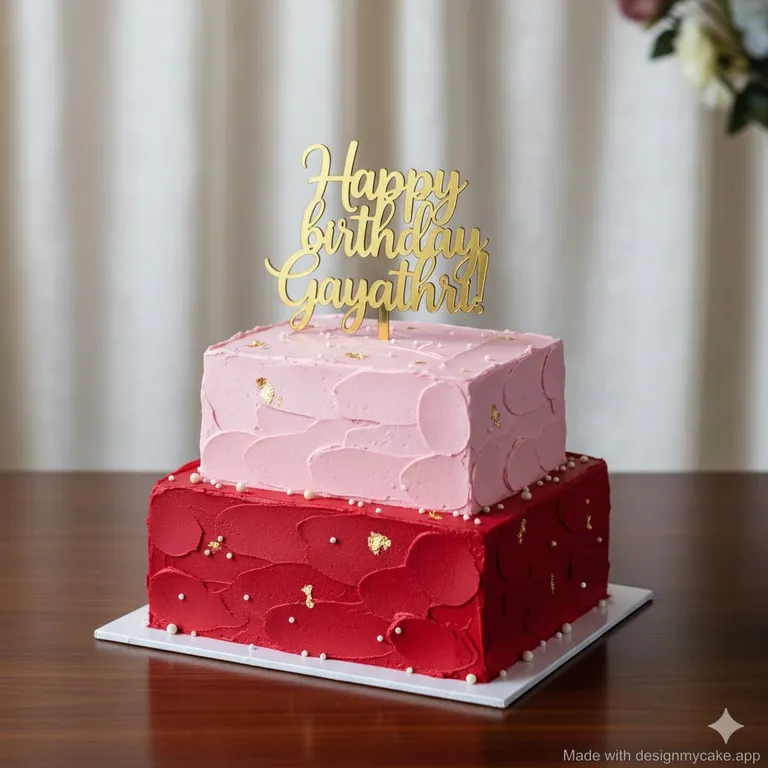
Start with these colors and tiers, then make it yours.
Make the cake design your own
Planning a birthday, wedding, or another celebration? Start with the details that make your cake personal.
Choose the shape and tiers
Explore a single-tier celebration cake or a multi-tier centerpiece. Set the shape and choose colors for each tier.
Personalize the details
Choose frosting, decorations, metallic accents, and a message. Add a description to explain the occasion and style you have in mind.
Keep your design references
Find generated images in your history and download them to discuss with your baker or client.
From cake idea to design reference in three steps
Describe your cake
Sign in with Google, then choose your occasion, tiers, colors, and decorations in the studio. Add any details that matter to you.
Generate a design
The AI uses your choices to create a cake image. Each successful generation uses one credit; new accounts receive five free credits.
Download and discuss
Download the image and share it with your baker. To explore another direction, change your choices and generate a new design.
A visual starting point for bakers and clients
Turn a client's description into an image you can discuss together. Compare color palettes, tier arrangements, and decoration styles before deciding on the final design.
Bring your baking expertise to the next step: confirm portions, support, ingredients, decoration techniques, and cost. AI-generated images help explain an idea, but they do not replace your judgment about what can be made.
Explore a client ideaAI cake design questions
How does the AI cake generator work?
Your description and cake options are combined into a prompt for an AI image model. It generates a visual reference, not a recipe or a construction plan.
What can I customize?
You can choose the occasion, shape, number of tiers, tier colors, frosting, decorations, style, metallic accents, and cake text. A description lets you add more context.
Can I share the design with my baker?
Yes. Download the generated image from the studio or your history and send it to your baker as a starting point for your conversation.
Will the finished cake look exactly like the image?
Not necessarily. AI can suggest details that are difficult to reproduce, and lettering may be imperfect. Ask your baker to confirm structure, materials, servings, and budget before ordering.
How much does it cost to generate a cake design?
New accounts receive five free signup credits, with no credit card required. Each successful image generation uses one credit. Additional credit packages are listed on the pricing page.
See what your cake idea could look like
Start with five free designs and bring a clearer reference to your next cake conversation.
Start Designing for Free